
A bench, a run,
and what comes back.
What a rig is made of, what happens when a run lands on it, what you get afterwards, and the line between what a rig shows the world and what it never does.
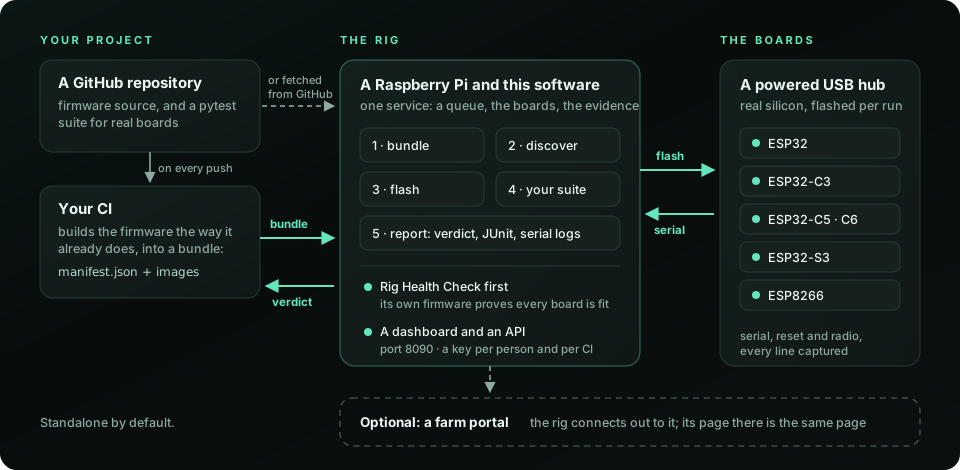
The rig
A rig is a Raspberry Pi, a powered USB hub and a bank of ESP32 development boards, with a relay board on each port's 5 V line so the rig can cut a board's power and bring it back. Boards are USB-powered only: flash, serial and the power cut all run down one cable per board.
Two identities keep the bench honest. A board is its silicon: the MAC burned into the chip, read at discovery, so a board moved to another port is still the same board. A port is its place on the hub, so the rig knows which cable to cut when a board hangs.
The families a rig can hold today are ESP32, ESP32-C3, ESP32-C5, ESP32-C6, ESP32-S3 and ESP8266, with one immutable firmware artifact per family. The rig's own software is two pieces, both becoming open: the agent and the health check.
A run, stage by stage
Your CI builds the firmware and hands the farm a bundle. A run is that bundle, on the boards you asked for, under your suite. The farm does not build firmware, and it does not guess at a bundle: it flashes what you shipped and names it by its commit.
- Discover. The rig enumerates its boards by silicon identity and checks the wiring both ways, using the health check firmware. A board that is present but miswired is found here, not blamed on your firmware later.
- Flash. Each board the run asked for gets the artifact for its family. If your bundle names boards, those; if it names families and counts, the farm picks free boards that match.
- Test. Your suite runs against the boards on the metal. The serial console of every board is captured as it happens; power and radio stay real the whole time.
- Report. The rig writes the outcome to disk before it sends it, then hands over a JUnit report, a verdict per board, the log and the evidence. A farm that was unreachable at the end, or a rig that restarted, loses nothing.
The same four stages every time, so when something fails the first thing the report says is where.
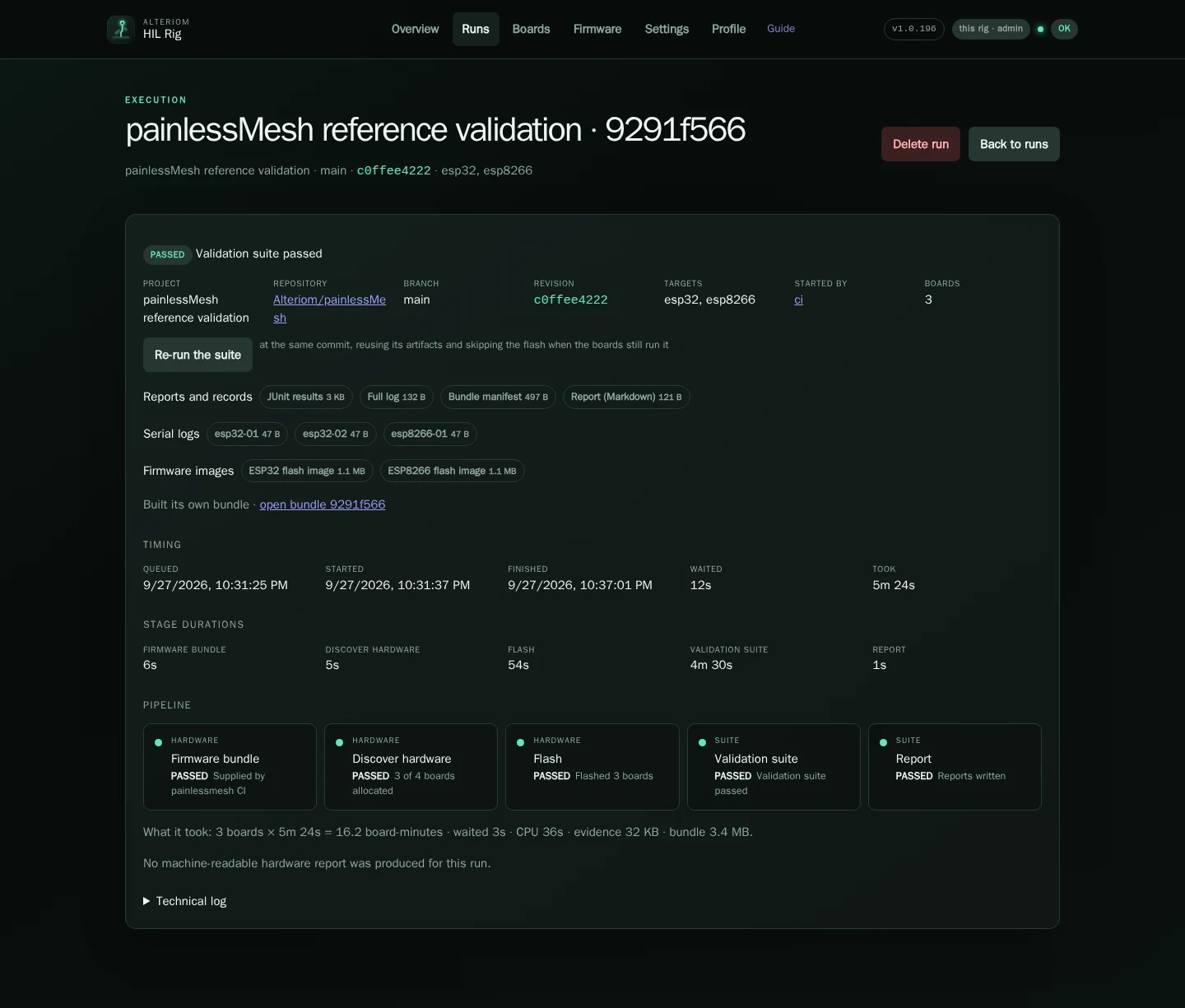
What comes back
- A JUnit report naming every test, so the run reads in the tools you already have.
- A verdict per board, kept with the board as well as the run: a board that starts failing its own health check is visible on its own page before it fails somebody's suite.
- The console, captured for the whole run, per board.
- The firmware, by commit, so a failure is reproducible against exactly what ran.
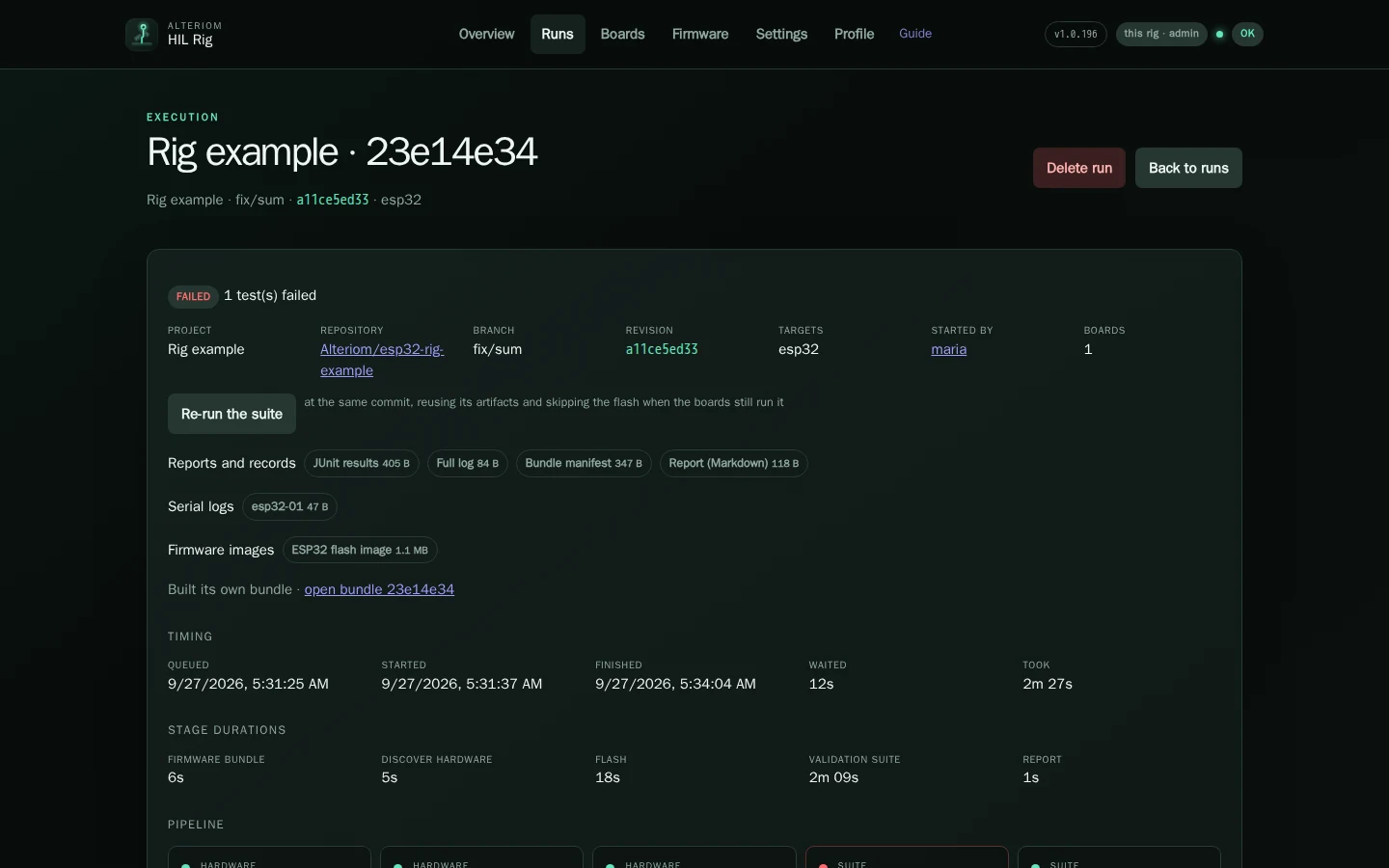
A failed health check is told apart from a failed suite. When every board fails the same wiring check at once, the farm treats that as its own fault and pauses itself rather than failing your run for it.
What is public, and what never is
A rig is private the moment it joins: its page, its runs and its events are its owner's. Its owner can make it public, which lists it on the rigs page. The farm's admin can make a rig shared, which also lets other accounts run on it; at launch the shared rigs are the farm's own.
| Shown on a public rig | Never shown |
|---|---|
| Its name, and what its owner wrote about it | Its owner, or anybody's account handle |
| Online, drained, or its host health as one word | Its configuration, addresses, or diagnostics |
| How many boards, by family | Any board's identity or port |
| What it is set up to do, as a chip and a state | The summary behind a chip: a broker's address, an SSID |
| Runs this week, and how many passed | Any run: its log, its evidence, whose it was |
The public view is its own query with its own fields, not the private one with things hidden in the browser, so opening the network tab shows nothing more than the page does.
Bringing a rig
A rig joins the farm with one command and a token that works once. From then on it only ever talks outward, so it needs no public address and no inbound rule on your network. It is handed to the account you signed in with, and the rig, its runs, its events and who may see it are yours.
Adding a rig is the farm's to do today: sign in, then write to espfarm@alteriom.net and the command and the token come back. The parts list and the assembly are in the docs.
See it running
The rigs page lists what their owners chose to show, live. Signing in shows you your own.